Easy Screen Capture2.0.4
Publisher Description
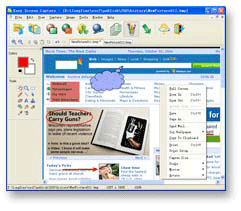
Easy Screen Capture is a full featured screen capture tool that can capture images from full screen, active window, controls, rectangles, rounds, and ellipses from your desktop. It can automatically scroll your browser to capture entire web pages and can capture images from DirectX games and movies. Captured images can be edited or modified in appearance to suit user requirements and exported to the most popular file types such as JPG, GIF, PNG and BMP. You can add text annotation, arrows, shapes and other objects on images using drawing tools. It also has other normal editing tools, including resize, blur, sharpen, and color balance. If you make a mistake, the unique undo feature can undo anything. Captured images can also be printed on pages, copied and e-mailed. All screen capture operations can alternatively be performed via user defined hotkeys. Easy Screen Capture can save captured images automatically. It maintains a capture history to quickly open, rename, edit and organize previous images. With this useful program, you can make professional screenshots for inclusion in Word documents, online tutorials, manuals, presentations handouts, promotion material, websites, emails and so on. Easy Screen Capture has easy-to-use interface, it boasts a short learning curve and incorporates many advanced image capture and manipulation features, will be suitable for computer users of all levels, from beginner to professional.
About Easy Screen Capture
This Screen Capture program is available in English. It was last updated on 29 September, 2026. Easy Screen Capture is compatible with the following operating systems: Windows.
The company that develops Easy Screen Capture is Longfine Software. The latest version released by its developer is 2.0.4. This version was rated by 1 users of our site and has an average rating of 3.0.
The download we have available for Easy Screen Capture has a file size of 1.0 MB. Just click the green Download button above to start the downloading process. The program is listed on our website since 2007-08-22 and was downloaded 164 times. We have already checked if the download link is safe, however for your own protection we recommend that you scan the downloaded software with your antivirus. Your antivirus may detect the Easy Screen Capture as malware if the download link is broken.
How to install Easy Screen Capture on your Windows device:
- Click on the Download button on our website. This will start the download from the website of the developer.
- Once the Easy Screen Capture is downloaded click on it to start the setup process (assuming you are on a desktop computer).
- When the installation is finished you should be able to see and run the program.
